How to Check If Your Phone Supports NFC Business Cards?
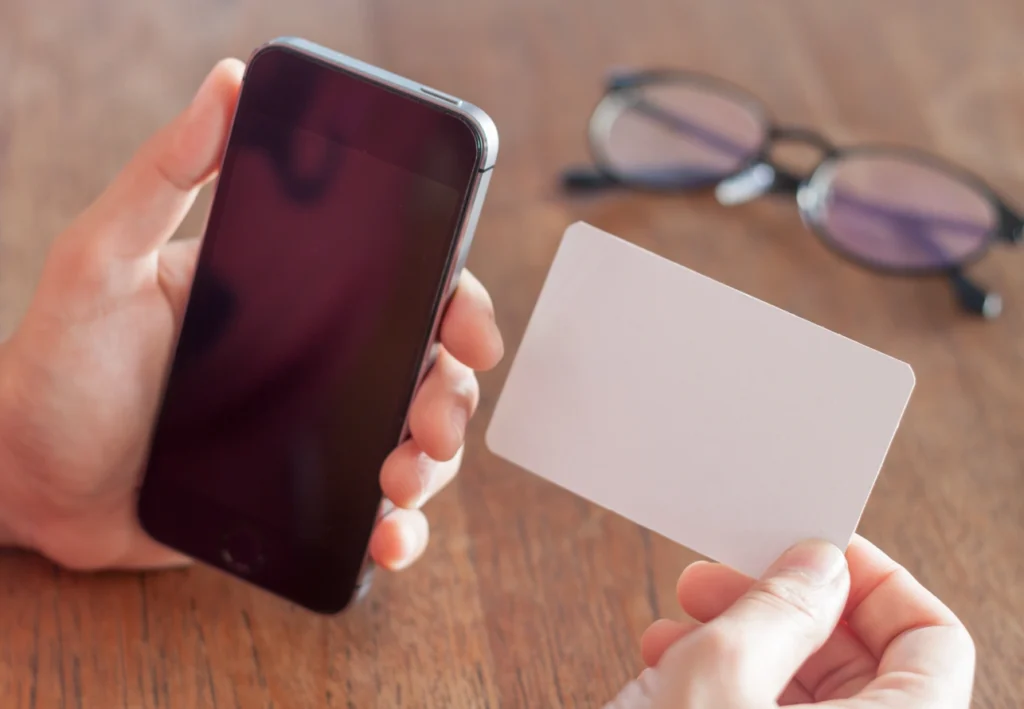
In today’s modern business world, networking has gone digital. Traditional paper business cards are gradually being replaced by smart, eco-friendly, and customizable NFC business cards. These cards allow professionals to share contact details with just a single tap on a smartphone. But before you order or start using one, it’s essential to know whether your phone supports NFC technology.
This comprehensive guide by NFCBusinessCard.pk explains what NFC is, how it works, how to check your phone’s compatibility, and what to do if your device doesn’t support NFC.
Understanding NFC Technology
What Is NFC?
NFC stands for Near Field Communication, a short-range wireless technology that enables two devices to exchange data when they are close — usually within a few centimetres. The same technology powers contactless payment systems, digital ticketing, and now, digital business cards.
An NFC chip or tag can store small pieces of information like a name, website, phone number, or even a digital contact card. When someone taps their NFC-enabled phone on your NFC business card, it instantly opens your digital profile or contact details on their screen.
How NFC Works in Business Cards
Inside an NFC business card, there’s a small embedded microchip that holds your digital data. When an NFC-enabled smartphone comes close to this chip, it wirelessly transfers the information to the device.
The process is seamless and instant — no apps or typing required. It’s the modern way of saying, “Here’s who I am,” without exchanging paper cards or manually entering phone numbers.
Also Read: NFC Business Cards vs. Traditional Paper Cards
Why NFC Business Cards Are Becoming Popular in Pakistan?
In Pakistan, the demand for NFC business cards is rising as professionals look for smart, tech-driven solutions to make a lasting first impression. Businesses in cities like Karachi, Lahore, and Islamabad are embracing digital introductions at expos, networking events, and client meetings.
Moreover, Pakistan’s smartphone market is rapidly growing, with many models supporting NFC for payments and file transfers. However, not every phone sold in Pakistan includes NFC hardware, especially budget or region-specific models. This makes checking compatibility an important first step before using or ordering your card from NFCBusinessCard.pk.
Why You Need to Check NFC Compatibility?
An NFC business card works only when the smartphone used for tapping supports NFC. If your phone doesn’t, it won’t detect the chip embedded in the card — meaning no data will transfer.
Checking compatibility saves you from confusion during networking, ensures your NFC card works smoothly, and helps you confirm whether your clients or customers can also scan it easily.
Step-by-Step: How to Check If Your Phone Supports NFC
Step 1: Check Your Phone’s Specifications
The simplest way to verify NFC support is to check your phone’s official specifications. Every smartphone manufacturer lists key connectivity features — like Wi-Fi, Bluetooth, and NFC — in the product details.
If you’re unsure, search your phone’s model name online (for example, “Samsung Galaxy A32 specifications”) and look for “NFC” in the connectivity section.
Phones that include NFC typically highlight it clearly since it’s a premium connectivity feature. If you don’t see “NFC” listed anywhere, your phone likely doesn’t support it.
Step 2: Check in the Settings Menu
If you already have the phone in hand, you can verify directly from the settings:
For Android Phones
Open your phone’s Settings, go to Connections, Wireless & Networks, or Connected Devices, depending on your model. Look for the NFC option. If it appears, your phone supports NFC. Turn it on if it’s disabled.
On Samsung phones sold in Pakistan, NFC is usually located under Connections → NFC and Contactless Payments.
For iPhones
All iPhones starting from iPhone 7 and later support NFC. iPhones with iOS 11 or newer can automatically read NFC tags without installing any app. You simply tap the NFC business card on the top of your iPhone, and it opens instantly.
Step 3: Perform a Real-World Test
Once you’ve confirmed NFC support in the settings, try a simple test. If someone you know has an NFC tag, sticker, or business card, tap your phone against it. If your device reacts — by vibrating, showing a pop-up, or opening a link — then NFC is active and working.
If you don’t have access to another NFC tag, you can visit NFCBusinessCard.pk and request a demo card to test your device.
Understanding NFC Tag Compatibility
Even if your phone has NFC, not every tag type is compatible. NFC chips come in different types such as NTAG213, NTAG215, and NTAG216. The most commonly supported ones across Android and iPhone devices are from the NTAG series.
When you order from NFCBusinessCard.pk, your card is automatically equipped with universal NFC tags that work smoothly with almost all smartphones available in Pakistan.
Where the NFC Sensor Is Located on Your Phone?
The NFC chip inside your phone is usually located at the back — near the top or center. On iPhones, it’s typically near the top edge. On Android phones, it may vary slightly by brand.
When tapping your card, make sure to align the NFC tag area on your card with the NFC sensor on the phone. Sometimes users think their card isn’t working simply because they’re tapping it in the wrong spot.
Common Issues When NFC Doesn’t Work
If your phone supports NFC but your card still isn’t working, consider the following:
- NFC is turned off — Double-check your phone settings.
- Metal phone case — Some metal cases interfere with NFC signals. Try removing it.
- Damaged or unprogrammed NFC card — The tag might not be encoded properly.
- Tag type not supported — Rare on modern cards, but possible on older devices.
If you face any issues, NFCBusinessCard.pk provides free card testing and troubleshooting assistance for customers in Pakistan.
Benefits of Using NFC Business Cards
Once you’ve confirmed your phone supports NFC, you can fully experience the convenience and professionalism of an NFC business card. Some benefits include:
- Instant data sharing without paper waste.
- Update your contact details anytime without reprinting.
- Compatible with both Android and iPhone devices.
- Eco-friendly and modern solution for corporate professionals.
Professionals across Pakistan — from real estate agents to IT consultants and business executives — are switching to NFC business cards for a smarter, greener networking approach.
NFC Business Card vs. Traditional Business Card
Traditional paper cards are limited — once printed, they can’t be updated. You also risk running out of them or carrying damaged cards.
An NFC business card, however, stores your details digitally. Anyone can tap your card and instantly access your website, LinkedIn, or phone number. You can change your information anytime from your dashboard at NFCBusinessCard.pk, ensuring your card never becomes outdated.
NFC Compatibility in Popular Phones in Pakistan
As of recent years, many mid-range and high-end smartphones in Pakistan include NFC. Some examples are:
- Samsung Galaxy A-series and S-series (A32, A54, S21, S23, etc.)
- iPhone 7 and all later models
- OnePlus Nord and 8/9/10 series
- Google Pixel phones
- Xiaomi Mi and Redmi Note Pro models (certain variants)
Keep in mind that some phones sold through local distributors might have NFC disabled or removed, especially budget models. Always verify the specifications before purchase.
What to Do If Your Phone Doesn’t Support NFC?
If your current phone doesn’t have NFC, you can still share your information digitally. Every NFC business card from NFCBusinessCard.pk also includes a QR code printed on the back. This way, even users without NFC can scan your code using their camera and instantly access your contact details.
So, you’re never at a disadvantage — whether your phone has NFC or not.
How to Enable NFC for Daily Use
Once you confirm that your phone supports NFC, you can enable it anytime. On Android phones, the NFC toggle can usually be found in the Quick Settings panel. Simply pull down your notification bar and tap the NFC icon to activate it.
On iPhones, NFC works automatically in the background, so there’s no need to enable or disable it manually.
When NFC is turned on, your phone can read business cards, digital tags, and even make contactless payments if your bank supports it.
Safety and Privacy When Using NFC
Many people in Pakistan wonder if NFC technology is safe. The answer is yes — NFC operates over a very short range and can’t be intercepted easily. Your phone must be within a few centimetres of the tag to read it.
Still, always make sure your card or tag contains only the information you wish to share publicly. At NFCBusinessCard.pk, your digital card data is encrypted and stored securely, ensuring privacy and full control over what you share.
Troubleshooting Tips for NFC Business Cards
If you’re experiencing inconsistent scans, here are two quick checks:
- Test different angles or tap areas — Sometimes repositioning helps the phone detect the tag.
- Restart your phone — Occasionally, restarting can reset NFC connectivity and fix minor glitches.
If issues persist, contact NFCBusinessCard.pk support for diagnostic assistance.
Why NFCBusinessCard.PK is the Trusted Choice in Pakistan?
NFCBusinessCard.pk is Pakistan’s leading provider of smart NFC business cards. Every card we create is custom-designed, durable, and embedded with universal NFC chips compatible with both Android and iPhone devices.
We ensure:
- Guaranteed NFC tag compatibility.
- Personalized printing and branding.
- Free card testing and tech support across Pakistan.
- Affordable pricing with fast nationwide delivery.
Whether you’re a corporate professional, entrepreneur, or freelancer, NFCBusinessCard.pk helps you leave a lasting digital impression.
Frequently Asked Questions
Do all iPhones support NFC business cards?
Yes, all iPhones from the iPhone 7 onward can read NFC business cards. Just tap the card near the top of your iPhone and it will open automatically.
Can I use my card if the other person’s phone doesn’t have NFC?
Absolutely. Every card from NFCBusinessCard.pk includes a backup QR code for users without NFC-enabled phones.
Does NFC drain the phone’s battery?
No. NFC uses very little power and doesn’t affect your battery life significantly. You can keep it enabled safely.
Is NFC safe to use for personal data?
Yes. NFC operates only at very close range, making it secure. At NFCBusinessCard.pk, we use encrypted data links to ensure your details remain private.
Final Thoughts
Before you buy or use an NFC business card, confirming your phone’s NFC compatibility is essential. Once you’ve checked the settings, tested your device, and understood how NFC works, you’ll be ready to experience seamless, contactless networking.
In Pakistan’s fast-evolving business environment, professionals who embrace technology always stand out. NFCBusinessCard.pk helps you do exactly that — turning every meeting, event, or introduction into a memorable digital experience.
If your phone supports NFC, you’re just one tap away from smarter networking. And if it doesn’t, don’t worry — with our dual NFC + QR setup, everyone stays connected.